Errores #45
open
Falla de acceso a ftp Giscloud
100%
Description
En el día de hoy el servidor de Producción reportó que no pudo correr correctamente el script de upload_to_giscloud.sh
El probelma se reportó sólo en Prod, no así en Dev. En Dev el script corre 7:30 mientras que en Prod corre a las 8:30. O sea, un problema había aparecido en el trasncurso de esa hora.
Validando el acceso a Giscloud me encuentro con lo siguiente:
ingenieria@pgsql-dev:~$ ssh -vvv usuario@sftp.giscloud.com
OpenSSH_8.9p1 Ubuntu-3ubuntu0.15, OpenSSL 3.0.2 15 Mar 2022
debug1: Reading configuration data /etc/ssh/ssh_config
debug1: /etc/ssh/ssh_config line 19: include /etc/ssh/ssh_config.d/*.conf matched no files
debug1: /etc/ssh/ssh_config line 21: Applying options for *
debug3: expanded UserKnownHostsFile '~/.ssh/known_hosts' -> '/home/ingenieria/.ssh/known_hosts'
debug3: expanded UserKnownHostsFile '~/.ssh/known_hosts2' -> '/home/ingenieria/.ssh/known_hosts2'
debug2: resolving "sftp.giscloud.com" port 22
debug3: resolve_host: lookup sftp.giscloud.com:22
debug3: ssh_connect_direct: entering
debug1: Connecting to sftp.giscloud.com [13.223.179.95] port 22.
debug3: set_sock_tos: set socket 3 IP_TOS 0x10
debug1: connect to address 13.223.179.95 port 22: Connection timed out
ssh: connect to host sftp.giscloud.com port 22: Connection timed out
Files
Updated by Demo MiGestion365 Admin 5 months ago
- File clipboard-202605060857-zyp87.png clipboard-202605060857-zyp87.png added
- File clipboard-202605060858-pbwme.png clipboard-202605060858-pbwme.png added
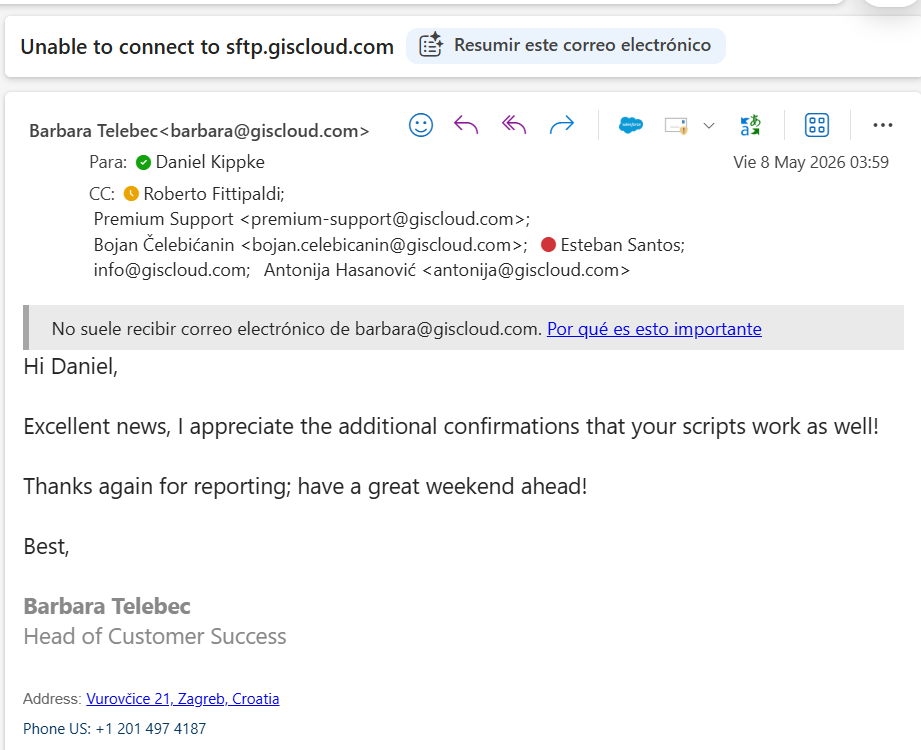
Ante el inconveniente detectado, se le envió un mail a Soporte de Giscloud reclamando el problema.
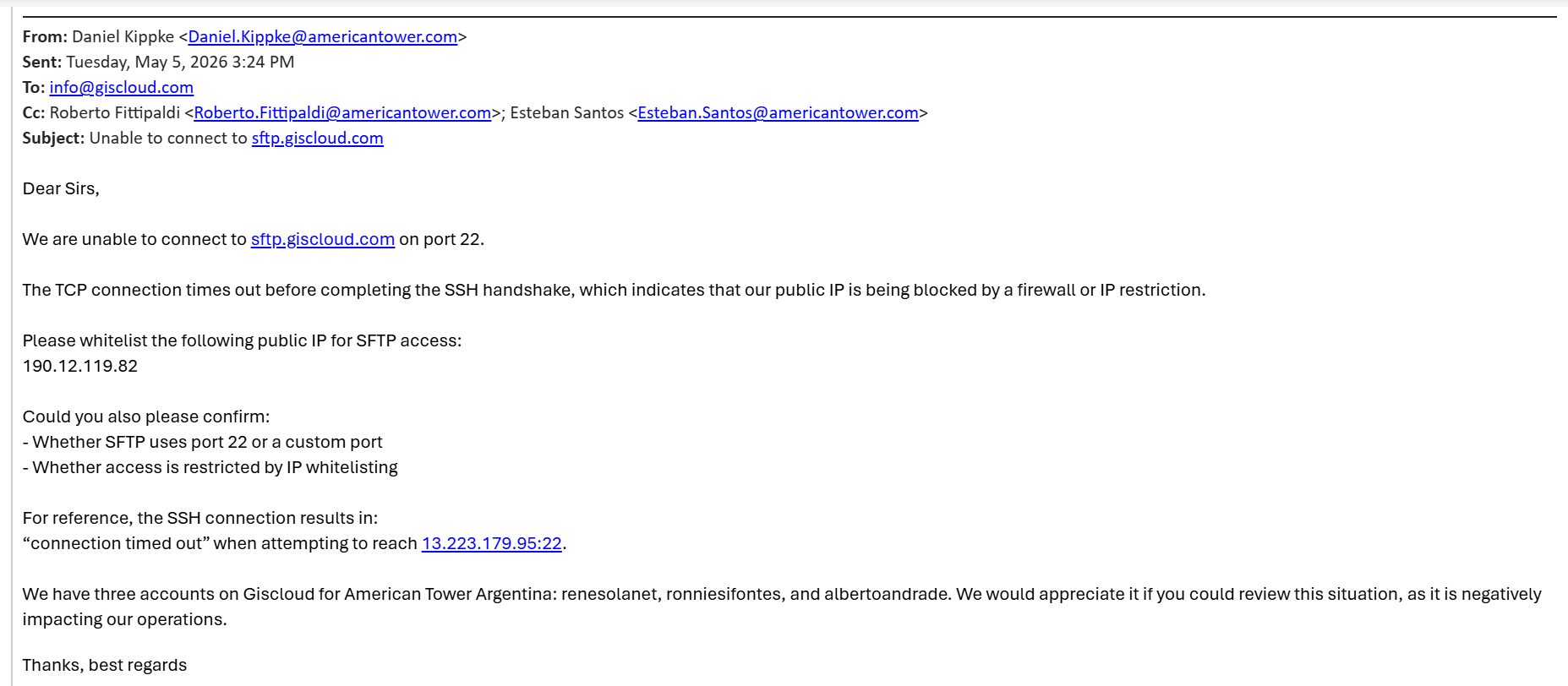
Pero los verdaderos responsables de Soporte son:
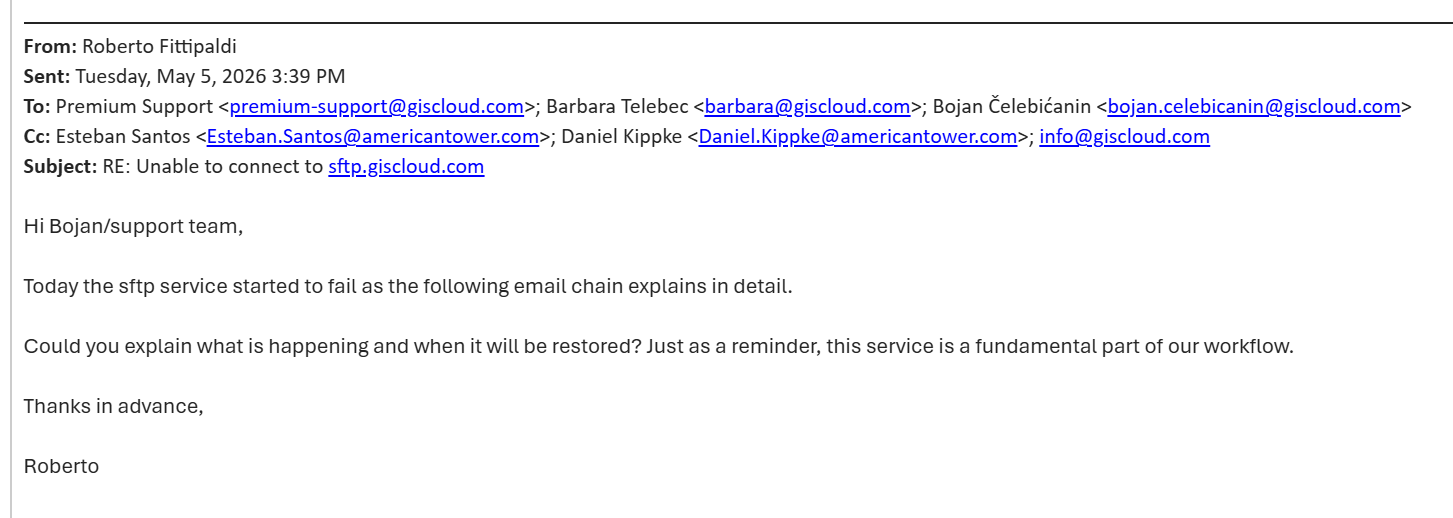
Premium Support premium-support@giscloud.com;
Bojan Čelebićanin bojan.celebicanin@giscloud.com;
info@giscloud.com;
Antonija Hasanović antonija@giscloud.com;
Barbara Telebec barbara@giscloud.com
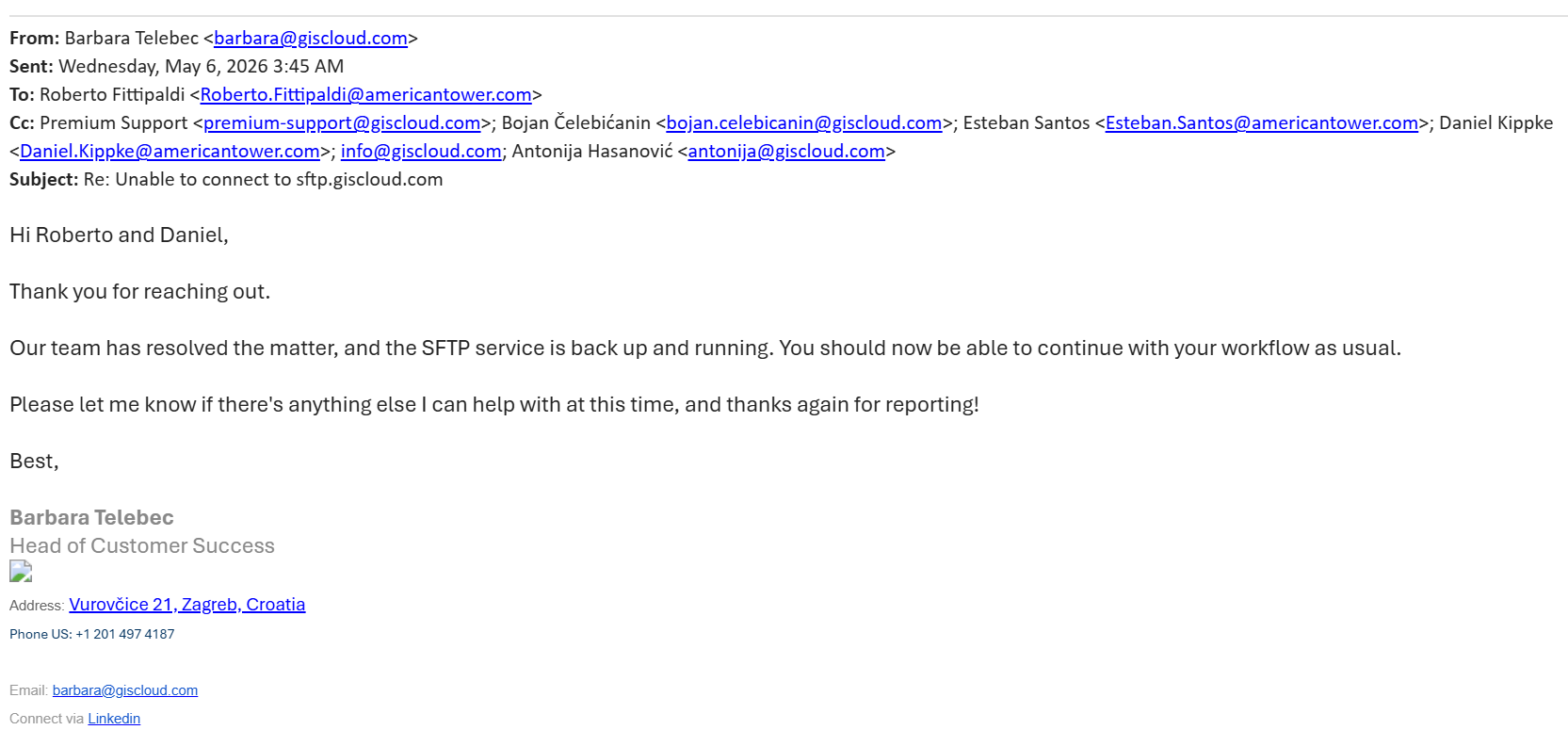
Updated by Demo MiGestion365 Admin 5 months ago
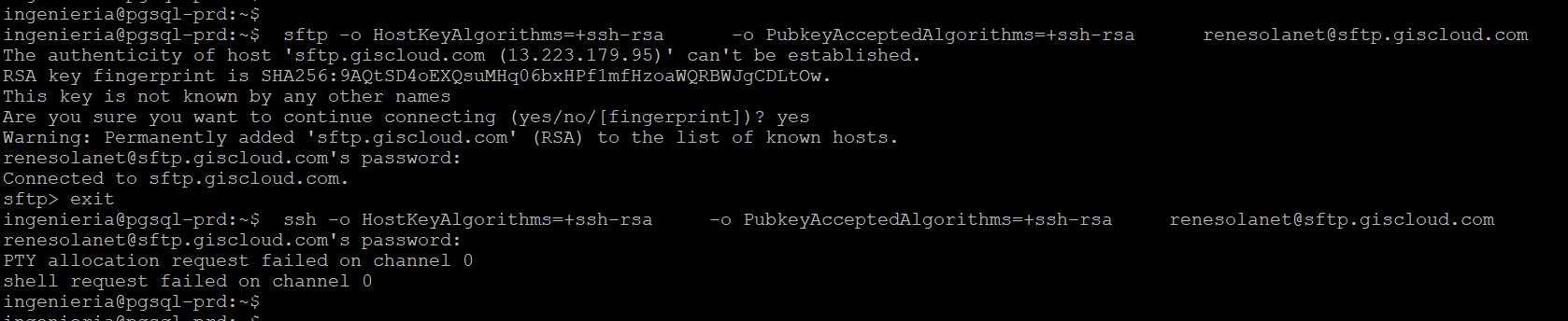
Al intentar verificar, hubo que aceptar la clave del servidor (host key)
Este mensaje es clave:
The authenticity of host 'sftp.giscloud.com (13.223.179.95)' can't be established.
RSA key fingerprint is SHA256:9AQtSD4oEXQsuMHq06bxHPf1mfHzoaWQRBWJgCDLtOw.
Are you sure you want to continue connecting?
ingenieria@pgsql-prd:~$
ingenieria@pgsql-prd:~$ sftp -o HostKeyAlgorithms=+ssh-rsa -o PubkeyAcceptedAlgorithms=+ssh-rsa renesolanet@sftp.giscloud.com
The authenticity of host 'sftp.giscloud.com (13.223.179.95)' can't be established.
RSA key fingerprint is SHA256:9AQtSD4oEXQsuMHq06bxHPf1mfHzoaWQRBWJgCDLtOw.
This key is not known by any other names
Are you sure you want to continue connecting (yes/no/[fingerprint])? yes
Warning: Permanently added 'sftp.giscloud.com' (RSA) to the list of known hosts.
renesolanet@sftp.giscloud.com's password:
Connected to sftp.giscloud.com.
sftp> exit
ingenieria@pgsql-prd:~$ ssh -o HostKeyAlgorithms=+ssh-rsa -o PubkeyAcceptedAlgorithms=+ssh-rsa renesolanet@sftp.giscloud.com
renesolanet@sftp.giscloud.com's password:
PTY allocation request failed on channel 0
shell request failed on channel 0
ingenieria@pgsql-prd:~$
ingenieria@pgsql-prd:~$
Updated by Demo MiGestion365 Admin 5 months ago
- File clipboard-202605081224-xntgu.png clipboard-202605081224-xntgu.png added
- Status changed from Nueva to Resuelta